

This is Geometry Dash unblocked: the full game loads straight from geometry-dash.me in your browser, so you can play Geometry Dash online free on a school Chromebook, a laptop or a phone with no download and no sign-up.
Geometry Dash: three levels, one button, no mercy
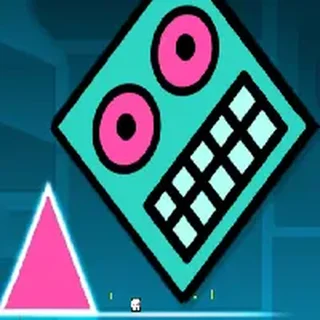
Geometry Dash is RobTop's 2013 rhythm platformer, the one where a square runs at a fixed speed across a course of spikes, blocks and pits and you only control the jump. The music is the map: every spike sits on a beat, so once you have heard a level a few times your thumb knows the timing before your eyes do. There are no checkpoints in normal mode — one touch and the whole level restarts — which is why the Score counter at the top — how far you got — is the number that matters.
The version served on geometry-dash.me is Griffpatch's Scratch port, packaged as a single script and hosted on this domain. It carries the first three official levels: Stereo Madness (the tutorial course, cube only), Back On Track (adds the ship section) and Polargeist (the first level that expects real timing from you). The stage runs at 480×360 scaled up to the player, so it is light enough for a school Chromebook, and your best score per level is written to the browser's storage (the Your Best box at the top) so it survives a reload.
Controls & mechanics
| Action | Control | Purpose |
|---|---|---|
| Jump | Space, Up arrow, or click / tap | Cube hops one block; hold to jump again the instant you land |
| Fly (ship) | Hold Space or the mouse button | After a ship portal, holding climbs and releasing dives — feather it, do not mash |
| Pick a level | Hold the mouse on the left / right arrow | Cycles Stereo Madness, Back On Track and Polargeist on the title screen |
| Start | Click the level name | Space does not start a level from the menu; the name is the button |
| Restart | Automatic | Any collision resets you to the start; the run counter keeps going |
How to get further in each level
- Stop looking at the cube: Watch the ground two or three blocks ahead. The cube always lands at the same distance, so the question is only when the next spike starts, never where you are now.
- Hold through triple spikes: A row of three spikes is a single long jump, not three taps. Holding the jump key does not jump higher, but it fires the next jump on the very frame you land, which is what stair sections need.
- Ships want short taps: In Back On Track the ship section kills more runs than the spikes. Tap in short bursts and let gravity do half the work; a held button slams you into the ceiling.
- Learn the music, then mute it: Play a level with sound until the beat is in your head, then play it muted a few times. Runs get more consistent because you stop reacting to the drop and start reacting to the geometry.
Key features
- Three official levels: Stereo Madness, Back On Track and Polargeist with their real layouts, rings, pads and ship portals.
- Served from this domain: The whole game is one script hosted on geometry-dash.me: nothing is fetched from elsewhere, no login, no ads inside the player.
- Best run saved: The port keeps your best score per level in the browser's storage, so a Chromebook that reloads the tab does not wipe it.
- Mouse, keyboard or touch: Space, Up or a click all jump, so it plays the same on a trackpad, a keyboard or a phone screen.
Game info
- Title: Geometry Dash
- Developer: RobTop Games (Scratch port by Griffpatch)
- Category: Dash and Rhythm
- Platform: Web browser (HTML5)
- Levels: 3 (Stereo Madness, Back On Track, Polargeist) · one button · runs saved in the browser
Pro tip: Polargeist's first pit right after the pad is where most runs die: the pad throws you higher than a normal jump, so do not press anything until the cube starts falling, then tap once. If you tap on the way up you clip the block on the far side every time.